WhatsApp on your own number
Scan a QR code the way you'd link WhatsApp Web, and the number your patients already have becomes a booking assistant. No business-account application and no template waiting on approval.
The phone stays yoursPatients book themselves from your website, your WhatsApp number or a QR code. You get one live queue, one patient record, and reminders that send without anyone remembering to.
No Meta business approval and no message templates to clear. WhatsApp features may vary under Meta's policies.
Press play to watch a patient book themselves — the whole booking, start to finish.
No app, no login — and you wrote every word the assistant says.
A form inside the app, your WhatsApp number, a chat on your own website, or a printed QR code. Pick one below to see exactly what the patient sees.


They message the number they already have. The assistant answers, offers the times you are actually free, and books one.
All four land in the same list, in token order, against one patient record — so the desk never has to check four places. Screens captured from the running application.
The same four steps follow every booking, whichever door it came through.
Straight into your queue. A double tap never makes a second booking.
Timed off that appointment. Reschedule and it moves; cancel and it goes.
Status moves through your own stages. The clinical note attaches to the visit.
Off the end of the visit — feedback, review date, or a nudge to rebook.
Captured from the running application, not illustrated. Three screens carry a whole working day.
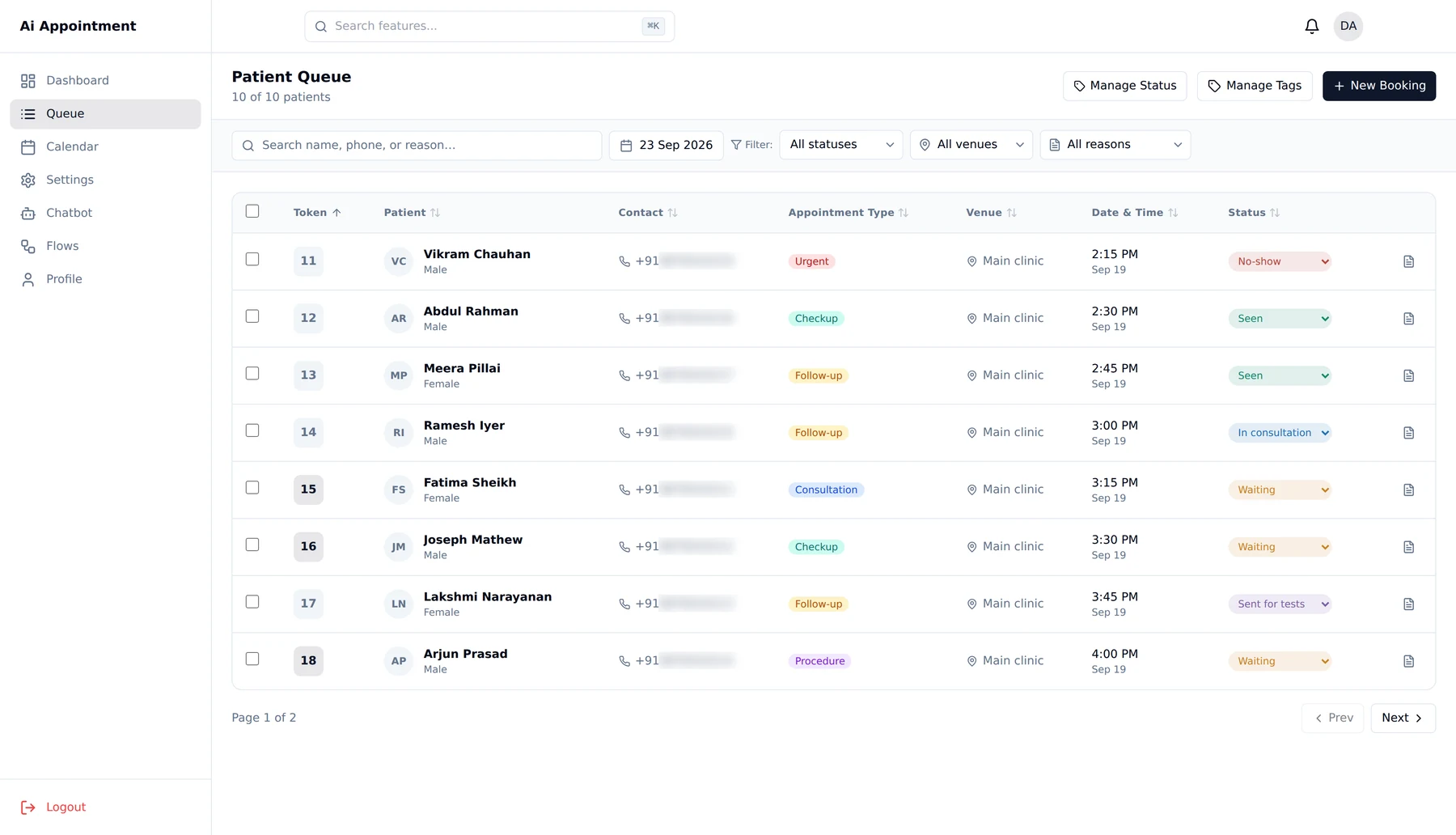
Swipe the screen to see the rest
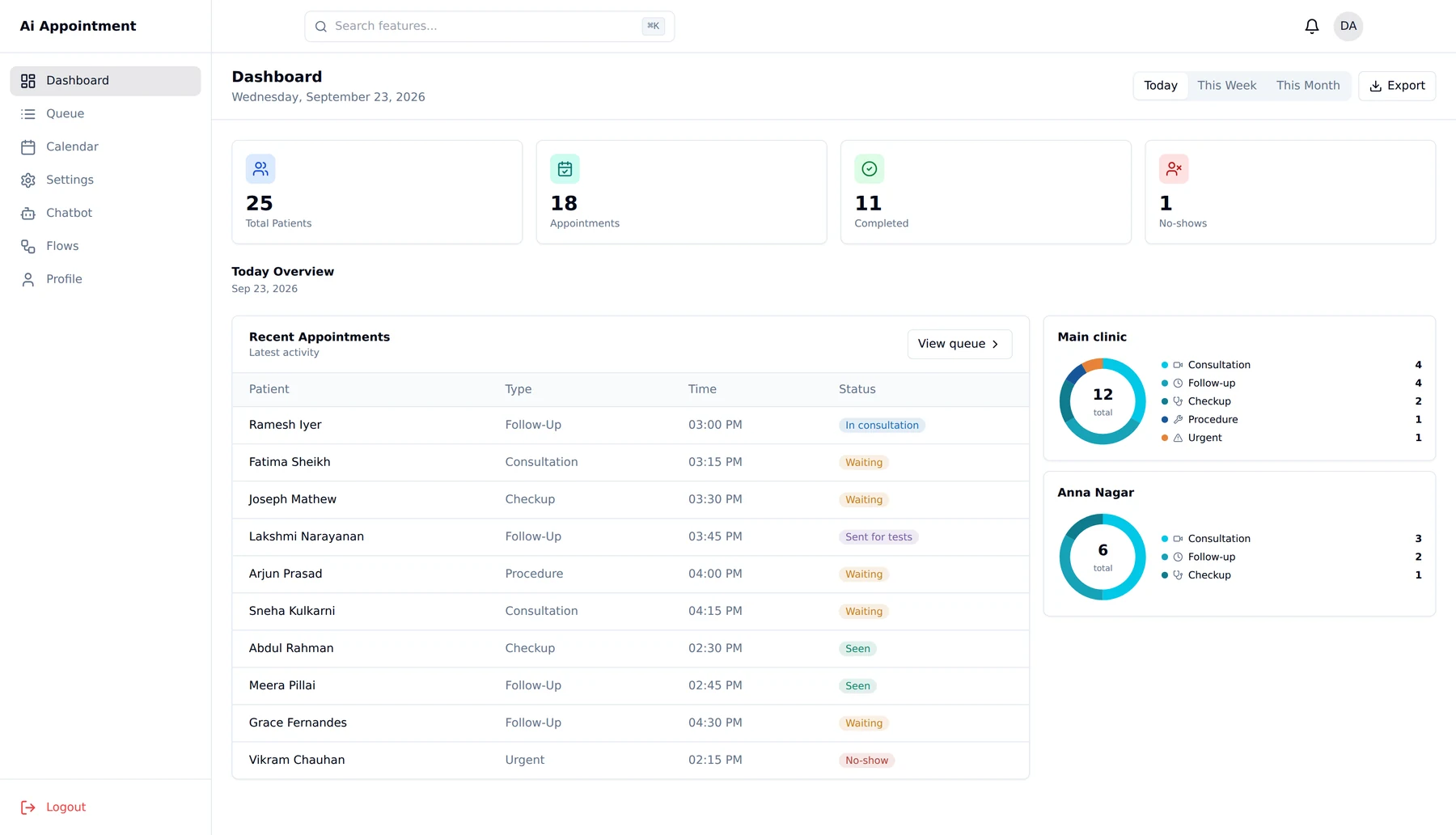
Swipe the screen to see the rest
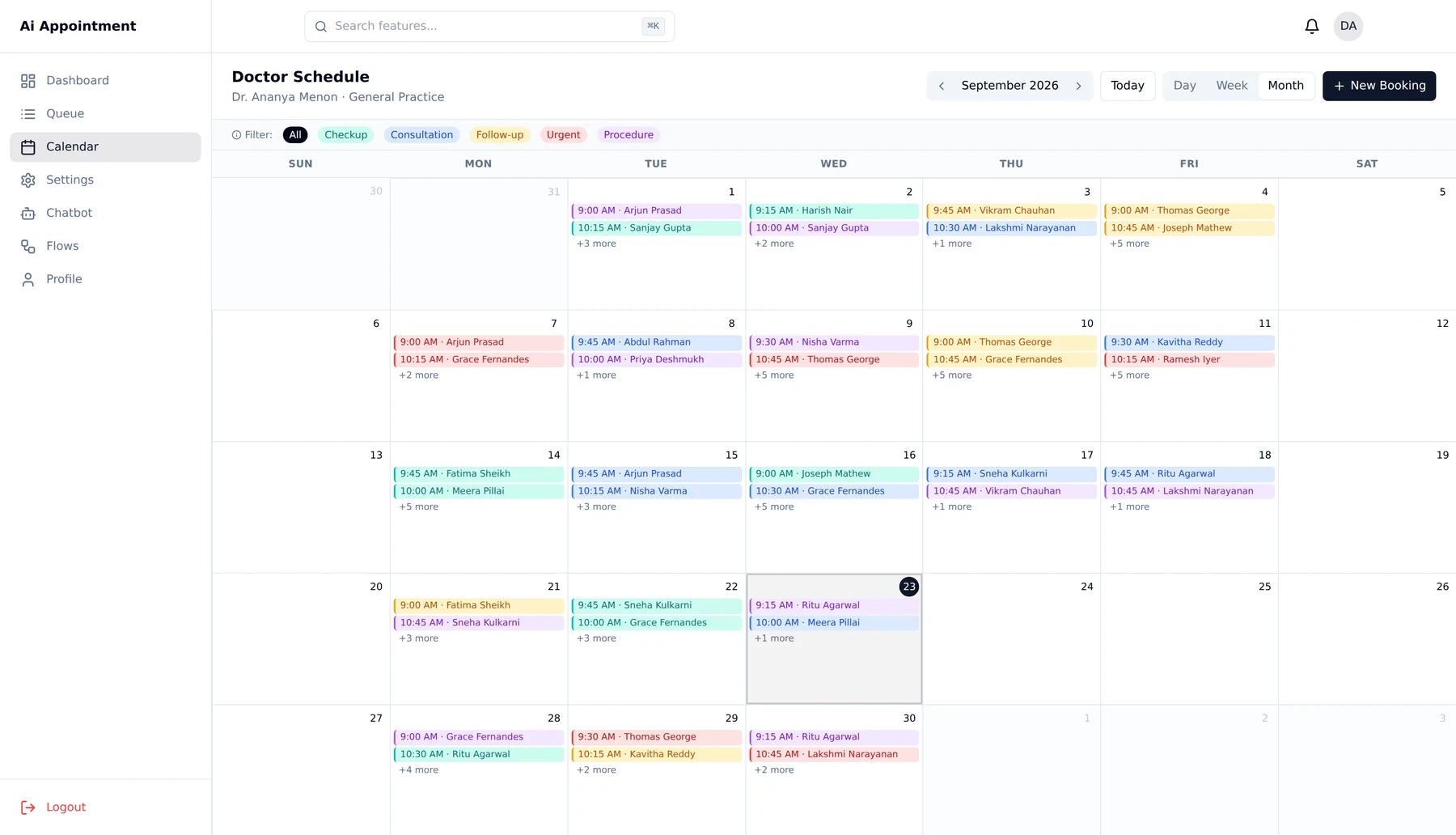
Swipe the screen to see the rest
Sets availability per location, runs the queue, writes the clinical note, controls the assistant.
Books walk-ins on a patient's behalf, tags patients, messages today's whole list — and never opens a clinical note.
Books on WhatsApp, or signs in with a one-time code to manage visits for the whole family.
Captured from the application with example patient data. No real patient information appears on this page.
Scan a QR code the way you'd link WhatsApp Web, and the number your patients already have becomes a booking assistant. No business-account application and no template waiting on approval.
The phone stays yoursDrag blocks onto a canvas and join them: send a message, offer choices, branch on an answer, book the slot. Edit a draft while the live assistant keeps working, publish when you're happy, roll back in one click if it doesn't land.
No developer, no ticket, no waitNot "Tuesday at six" — one day before, or two hours after it ends. It works out the timing per patient. Reschedule and the reminder moves with it; cancel and it disappears.
The single biggest lever on no-showsNot just Booked / Completed / Cancelled. Define your own — Waiting, In consultation, Sent for tests, Report pending — each with its own colour on the queue screen.
The software adapts to youFifteen minutes. Your doctors, your hours, your stages, your WhatsApp number — not a generic demo. If it doesn't fit your desk, we'll say so.